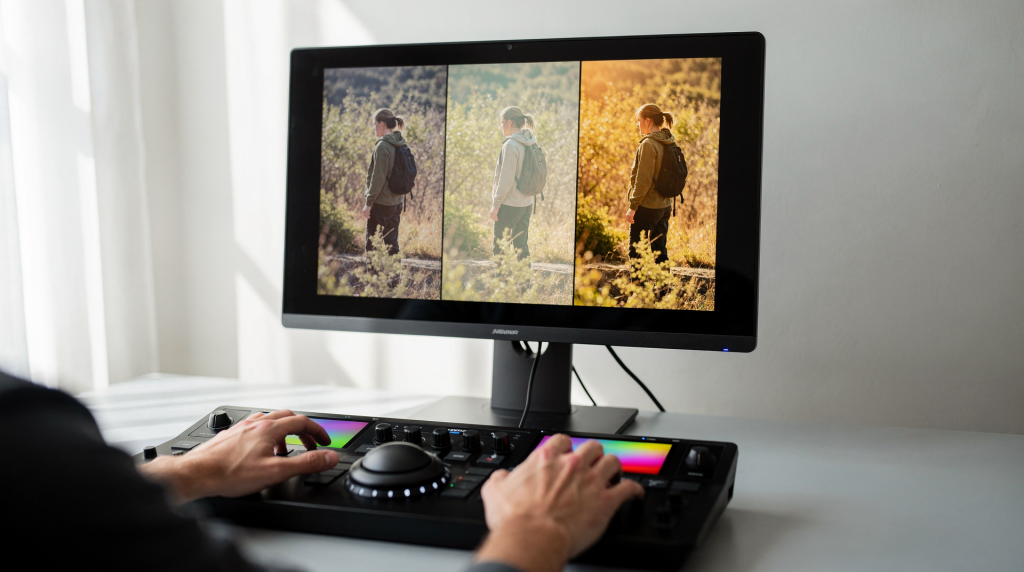
When you move from one property to the next, lighting shifts, walls change color temperature, and even the same camera can produce slightly different results. Color grading isn’t about chasing a trendy look—it’s about building a reliable, repeatable process that makes every clip feel like it belongs in the same video. For real estate and property marketing, that means clean, neutral color that lets the space speak for itself.
Why consistency matters more than style at the start
Inconsistent color distracts faster than a slightly soft focus or a minor camera bump. A warm shot cut next to a cool one reads as sloppy, even if both are technically sharp. The fix usually isn’t a heavy creative grade—it’s a disciplined correction pass that normalizes white balance, exposure, contrast, and saturation before any stylistic layer is added. In real estate and interiors, where viewers expect spaces to feel natural and trustworthy, a white wall that shifts from yellow to blue between clips undermines credibility. The audience notices the mismatch before they notice the architecture. I’ve seen agents lose a buyer’s attention over a color jump that could have been fixed in under a minute with a proper reference frame.
Color correction vs. color grading
These two terms get thrown around interchangeably, but they serve different purposes. Understanding the distinction saves time and prevents frustration.
| Task | Purpose | Typical adjustments |
|---|---|---|
| Color correction | Fix technical issues, make shots neutral and consistent | White balance, exposure, contrast, saturation, tint |
| Color grading | Create a finished look or mood after correction | Contrast shaping, color styling, film emulation, tonal atmosphere |
A practical rule: correct first, grade second. If your base footage is off, stylistic grading just amplifies the problem. Think of it like painting a wall—you wouldn’t apply finish coats until the surface is clean and primed.
The core workflow for consistent video
The most consistent results I’ve seen come from a simple, repeatable sequence: fix white balance first, then exposure, then contrast, then saturation, and only then match shots across the timeline. This order isn’t arbitrary—each step builds on the previous one. Skip ahead, and you’ll find yourself chasing problems you created.
1. Fix white balance first
White balance defines whether the image reads as warm or cool. A blue cast makes a room feel cold and uninviting; an orange cast can make white walls look dingy. If there’s a green tint—common under certain LED or fluorescent lights—a slight shift toward magenta usually neutralizes it. The fastest way to check isn’t your eyes; it’s the RGB Parade scope. On a neutral surface (white, gray, or black), the red, green, and blue waveforms should align. If one channel consistently sits higher, you’ve got a color cast.
Practical tip: In real estate shoots, I always carry a small gray card and place it in the first frame of each new lighting setup. A neutral wall or even a clean white shirt can work in a pinch, but be careful with fabrics that have optical brighteners—they can skew cool.
2. Set exposure before you stylize
Exposure isn’t just about brightness—it’s the entire luminance structure of your shot. If highlights are blown, you lose detail in windows and light fixtures; if shadows are crushed, dark furniture and corners turn into featureless voids. Bad exposure also makes color work harder: an underexposed image can look muddy, while an overexposed one washes out saturation. A waveform monitor is your most honest tool here. It shows you exactly where your luminance sits, regardless of how bright or dim your editing screen is.
Watch for these problems:
- blown windows or practical lights
- clipped white shirts or walls
- crushed black furniture or shadow detail
- skin or subject faces sitting too low in brightness
3. Adjust contrast carefully
Contrast creates separation between elements. Without it, footage looks flat and uninviting. But in interiors, too much contrast can destroy the very details buyers want to see: the texture of a stone countertop, the grain of hardwood floors, the subtle shadow under a crown molding. Keep contrast moderate during the correction phase. Once all your clips share the same baseline, you can push it stylistically if the project calls for a more dramatic look. A common trap: boosting contrast to rescue a dull clip that’s actually underexposed. That just makes the room feel harsh and unflattering. Fix exposure first, then judge contrast.
4. Normalize saturation
Saturation is the intensity of color. Too little, and the space feels drained of life; too much, and it looks like a cartoon—wood tones become orange, greenery turns neon, and white walls pick up unnatural tints. For consistency, bring every clip to a similar saturation level before you apply any creative grade. In property marketing, believable saturation is non-negotiable. Buyers want to trust that the hardwood is that warm, not that the editor cranked a slider. I typically aim for a level where a white wall stays white, but a plant in the corner still reads as healthy green.
5. Match shots in the same sequence
Shot matching is where many otherwise decent edits fall apart. A clip might look perfect in isolation, but the moment you cut to the next one, a slight shift in color or brightness breaks the flow. Matching means aligning color, luminance, and overall feel so the sequence reads as one continuous experience. The most reliable method: pick one well-balanced clip as your anchor—usually a wide shot with neutral colors and good exposure—and bring every other clip toward it. Use comparison view and scopes to match white balance, exposure, and saturation. Don’t trust your eyes alone; after staring at the timeline for an hour, your perception drifts. A reference frame keeps you honest.
How to read scopes without overcomplicating it
Scopes are the only tools that tell you what your image is actually doing, regardless of room lighting, screen brightness, or eye fatigue. They measure the signal, not your perception.
The three scopes most useful for beginners
| Scope | What it tells you | Why it matters |
|---|---|---|
| Waveform | Luminance distribution across the frame | Sets exposure, prevents clipping and crushing |
| RGB Parade | Separate red, green, and blue channels | Identifies color casts and white balance issues |
| Vectorscope | Saturation levels and hue direction | Keeps color intensity believable and consistent |
A simple reading habit
You don’t need to become a scope expert overnight. Start with the waveform and RGB Parade—they’ll solve 90% of consistency problems.
- Use RGB Parade on neutral areas to check for color casts.
- Use waveform to confirm that highlights aren’t clipping and shadows aren’t crushed.
- Bring in the vectorscope only when you need to verify that saturation isn’t drifting too high or too low, or when you suspect a color shift in skin tones or key surfaces.
A practical step-by-step grading workflow
Use this as a repeatable baseline for most projects.
- Choose one reference shot that looks balanced. (I usually pick a wide establishing shot with neutral walls and even lighting.)
- Correct white balance using a neutral object or RGB Parade.
- Set exposure with waveform or luma monitoring—protect highlights, especially windows.
- Adjust contrast so the shot has clean separation without losing detail in shadows or highlights.
- Set saturation to a believable level—ask yourself if the materials look natural.
- Copy or match those settings to the rest of the sequence using comparison view.
- Make small shot-by-shot fixes only where needed—don’t over-correct.
- Add a creative look last, if the project calls for it, and only after the sequence is consistent.
Common mistakes that break consistency
Grading before correction
Applying a creative LUT or stylistic grade before fixing white balance and exposure is like putting wallpaper over a cracked wall. The underlying problems don’t disappear; they just become harder to diagnose. Always correct first.
Trusting the screen alone
Your monitor lies. Room lighting, screen brightness, and calibration drift all affect how you perceive the image. Scopes give you an objective reference that doesn’t change. I’ve seen editors spend hours tweaking a shot only to realize their screen was set too bright.
Matching by eye only
Human vision adapts quickly. Stare at a clip for a minute, and it starts to look neutral even if it’s still off. Scopes and reference frames prevent that drift. Use a side-by-side comparison view whenever possible.
Pushing saturation too hard
This is one of the fastest ways to make interiors look fake. In real estate, buyers want to see the actual wall color, not a hyper-saturated version. If the wood looks like it’s glowing, dial it back.
Ignoring mixed lighting
Mixed lighting is a fact of life in homes and offices. Daylight from windows, warm lamps, and cool LEDs can all coexist in one frame. A single global correction often isn’t enough. We’ll tackle this next.
How to deal with mixed lighting
Mixed lighting is the norm, not the exception. A living room might have daylight spilling through sheer curtains on one side and a warm table lamp on the other. The key is to prioritize: correct for the dominant light source—usually daylight if it’s filling most of the room—and let the secondary source remain slightly warm or cool. Trying to neutralize everything often creates unnatural-looking skin tones or odd color shifts. If you’re shooting, turn off conflicting lights when possible, or at least note which ones are on. Always capture a gray card or neutral reference under the main light. In post, if the difference is extreme, you may need to use power windows or masks to adjust specific areas, but accept that perfect neutrality across the entire frame is rarely achievable without tradeoffs. Sometimes the slight warmth from a lamp actually adds to the ambiance—just keep it consistent across cuts.
LUTs: useful, but not a shortcut
LUTs can speed up your workflow, but they’re not magic. A LUT applies a predefined color transform—if your footage is already off-balance, the LUT just amplifies the mess. I’ve seen real estate videos where a ‘cinematic’ LUT turned white walls green and made wood floors look radioactive. Apply LUTs only after correction, when white balance, exposure, and saturation are already consistent. Treat them as a finishing polish, not a fix-it button.
A simple consistency checklist
Before you export, run through this checklist:
- White balance looks natural across the entire sequence—no warm-to-cool jumps.
- Exposure doesn’t jump between shots—luminance feels continuous.
- Highlights are under control—windows and light fixtures aren’t blown.
- Shadows still hold detail—dark furniture doesn’t turn into black holes.
- Saturation is believable—colors feel true to the materials.
- Skin tones or primary subjects stay stable—if people appear, their faces don’t shift color.
- Cuts between shots don’t feel color-shifted—the edit flows without visual hiccups.
- Creative styling, if used, supports the footage instead of hiding mistakes.
When to keep the grade subtle
A subtle grade is almost always the right call for property marketing. Buyers aren’t looking for a music video—they want to understand the flow of the space, the true color of the walls, the quality of the finishes. A clean, lightly polished grade builds trust. It says: what you see is what you get. In luxury listings, a restrained grade with careful contrast and accurate color often feels more premium than a heavy teal-and-orange treatment. Save the dramatic looks for brand films or editorial pieces where emotion trumps documentation.
When to push the look further
There are times when a bolder grade fits: a high-end development’s brand film, a moody twilight tour, or an editorial piece for a design magazine. In these cases, you might push contrast, desaturate selectively, or add a subtle color wash. But even then, consistency is non-negotiable. A stylized look that varies from shot to shot looks accidental, not artistic. Apply the grade uniformly, and if you’re using a LUT, make sure it’s designed for the color space and exposure level of your footage.
FAQ
What is the easiest first step in color grading?
Start with white balance. If your image has a color cast, every other adjustment becomes a guessing game. Use the RGB Parade scope or a neutral reference to get it right first.
Do I need scopes for every project?
For quick social media clips, maybe not. But for any project where consistency matters—especially real estate tours—scopes save time and eliminate guesswork. They’re the difference between ‘looks okay on my screen’ and ‘looks right everywhere.’
Should I use a LUT before or after correction?
Always after correction. A LUT works best on footage that already has proper white balance and exposure. Applying it to uncorrected footage is like seasoning a dish before you’ve tasted it—you risk ruining the whole thing.
How do I make multiple clips match?
Pick one well-exposed, neutral reference clip and match the others to it. Use comparison view and scopes to align white balance, exposure, and saturation. Don’t rely on your eyes alone; after a few minutes, your perception adapts and you’ll miss subtle shifts.
Why do my clips look different even when shot on the same camera?
Lighting changes, auto white balance shifts, lens variations, and even slight exposure differences can all alter the image. Even with locked manual settings, a cloud passing overhead or a lamp turned on can change the color temperature. Matching in post is standard practice, not a sign of failure.
Final thoughts
Consistent color isn’t about having the fanciest LUT or the most dramatic grade. It’s about control. When your base footage is balanced—white balance neutral, exposure even, saturation believable—the entire edit feels cohesive and professional. Build your workflow around those fundamentals, lean on scopes for objectivity, and match shots methodically. Consistency then becomes a repeatable process, not a guessing game. For real estate video, that’s what turns a series of clips into a seamless tour that lets the property speak for itself.