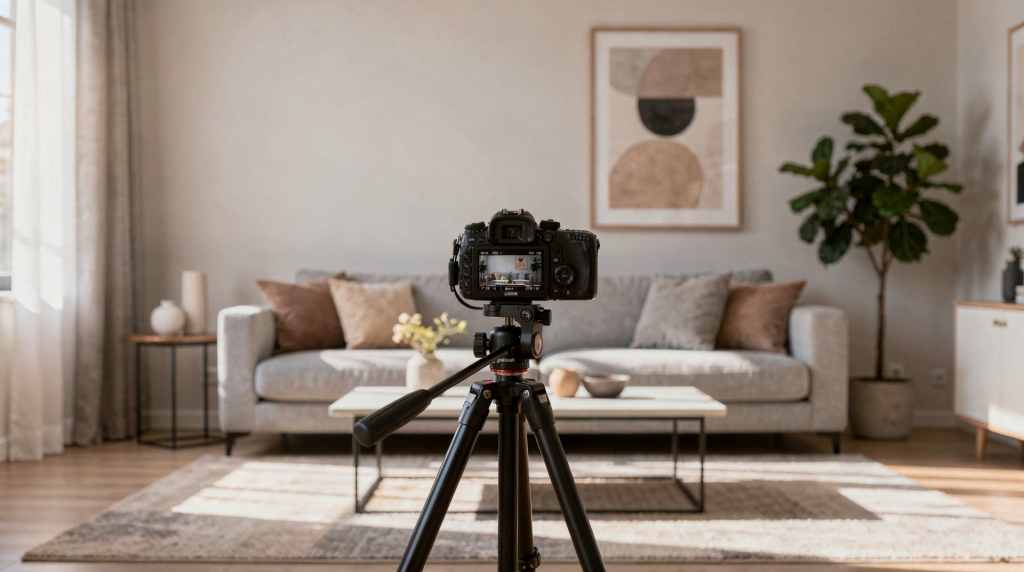
Still images capture a moment. Video captures the experience of being in a room — how light shifts as you move, how one space opens into another, how materials feel before you ever touch them. That difference is why interior designers, property marketers, and real estate photographers have shifted so much of their portfolio work toward motion. A well-shot interior video doesn’t just document a project; it translates the designer’s intent into something a viewer can almost walk through.
When I moved from general video production into property-specific work, the biggest adjustment wasn’t technical. It was learning to read a space the way a designer reads it — understanding why a particular sightline matters, which details carry the story, and when to let a room breathe on screen. This article lays out the practical framework I’ve developed for shooting interior design video that feels intentional, not just recorded.
Why Video Works So Well for Interior Design
A photograph can show you a beautifully styled living room. But it can’t show you how the kitchen relates to that living room, or how natural light travels across a textured wall over the course of a few seconds. Video bridges that gap. It gives the viewer spatial context — the kind of information buyers and clients need when they’re making decisions from a distance.
For designers, video has become a portfolio essential. For agents, it’s a listing differentiator. For content creators, it’s the format that stops a scroll. The common thread is that video rewards the viewer’s attention with understanding. You’re not just saying “this room looks good” — you’re demonstrating why the layout works, how the materials interact, and what it actually feels like to occupy the space.
Video is especially effective when you want to show:
- Spatial flow between rooms
- The relationship between furniture, lighting, and architecture
- Material texture and finish
- Before-and-after transformations
- The mood of a finished project
- How a room behaves in natural light
Here’s the key principle I return to on every shoot: the goal is not to film everything. The goal is to guide attention. When you try to document every corner, you dilute the impact of the spaces that matter most. A disciplined shot list always beats exhaustive coverage.
Start With the Story, Not the Camera
One of the most common mistakes I see — and one I made plenty of times early on — is walking into a beautiful property and immediately thinking about lenses and gimbals. The better approach is to spend ten minutes just being in the space. Walk through it. Notice where your eye goes first. Pay attention to the sequence of rooms and how they connect. That’s your story structure.
A strong interior design video usually fits one of these goals:
- Portfolio showcase
- Client presentation
- Social media teaser
- Website hero video
- Before-and-after case study
- Real estate marketing piece
- Behind-the-scenes project story
Each goal changes the structure. A portfolio piece should feel polished and timeless — the kind of video that still holds up two years later. A social clip needs to grab attention in the first two seconds, often with a striking detail or a dramatic before-and-after reveal. A project story should show process, not just the result, because the thinking behind the design is what builds credibility with potential clients.
Ask these three questions first
- What is the main design idea of the space?
- Which 3–5 features prove that idea?
- What do viewers need to understand by the end?
If you cannot answer those questions clearly, the video will likely feel random. I’ve learned to write the answers down before I touch any gear. It forces clarity and gives me a reference point when I’m tempted to shoot a room just because it’s there.
Plan the Shoot Around the Space’s Best Features
Not every room deserves equal screen time. This is a hard lesson for property videographers who come from a documentation mindset. In a 2,500-square-foot home, you might have eight rooms worth filming, but the video should probably spend sixty percent of its runtime on two or three of them. The rest supports the narrative; it doesn’t compete with it.
A kitchen with custom joinery may be the hero. In another project, the lighting design or a sculptural staircase may be the strongest visual element. Your job is to identify that hierarchy before you start rolling.
Build your shoot list like this
- Identify the hero room or hero feature.
- List secondary rooms that support the story.
- Add detail shots that prove quality.
- Decide on the opening and closing shot.
- Remove any rooms or angles that weaken the narrative.
A simple shot order often works best:
- Exterior or entry
- Main living area
- Hero room
- Kitchen or dining area
- Bedroom or private zone
- Detail shots
- Final reveal or strongest design moment
If the project is large, you do not need to cover every room equally. Coverage should follow design importance, not square footage. I’ve shot 4,000-square-foot homes where two secondary bedrooms never made the final cut because they didn’t add anything the primary suite hadn’t already communicated. That’s not laziness — it’s editorial judgment.
Prepare the Interior Before Filming
Even beautiful design looks weak when the space is cluttered, unevenly lit, or visually noisy. Preparation matters as much as filming, and I’d argue it’s where most rushed shoots fall apart. You can have the best camera movement in the world, but if there’s a tangled charging cable on the kitchen counter, that’s what the viewer will notice.
I always budget at least thirty minutes of prep time before the first shot, even on a “clean” property. It’s never wasted.
Pre-shoot checklist
- Clean all visible surfaces
- Remove personal items and distractions
- Close closet and cabinet doors
- Straighten cushions, rugs, and throws
- Adjust curtains or blinds for balanced light
- Hide cables, bins, and cleaning tools
- Check for fingerprints on glass, metal, and mirrors
- Turn off anything that flickers or hums on camera
For client homes, the finish level should be especially neutral. Viewers should notice the design, not the owner’s belongings. I’ve had shoots where we removed family photos, refrigerator magnets, and even a pet bed that was perfectly nice but pulled focus from the architectural lines we were trying to showcase. Small removals make a big difference in how professional the final video feels.
How to Film Interior Design in a Way That Feels Intentional
Interior design video should feel calm, controlled, and easy to watch. Fast, shaky movement makes rooms feel smaller and less refined — it introduces a sense of urgency that works against the kind of considered atmosphere most designers want to convey. Slow, deliberate movement gives the viewer time to read the design.
When I’m operating, I think about the camera as the viewer’s eyes. If I wouldn’t naturally scan a room at that speed, the camera shouldn’t either. This is one of the biggest differences between filming people and filming spaces. With people, you might follow action or emotion. With interiors, you’re leading attention through a static environment, and every movement needs a reason.
Best movement styles
- Slow push-ins to introduce a room
- Wide pans to show layout and symmetry
- Short lateral moves to reveal depth
- Gentle tilt-ups for tall ceilings or lighting
- Static shots for details and textures
What to avoid
- Fast whip pans
- Excessive zooming
- Constant movement without purpose
- Overly low camera angles that distort furniture
- Tilts that make walls look crooked
The most common mistake is trying to show too much at once. Interior design video becomes stronger when each shot has one clear purpose. If you’re panning across a living room, let that pan complete its arc. Don’t try to also tilt up to the ceiling and zoom into a light fixture mid-move. One idea per shot keeps the edit clean and the viewer oriented.
Camera Angles That Make Interiors Look Better
The right angle can make a room feel spacious, balanced, and elegant. The wrong one can flatten the design or make the layout confusing. I’ve walked into rooms that felt generous in person but looked cramped on screen simply because the camera was positioned too low or too close to a wall.
A good rule of thumb: shoot from where a person would naturally stand when they first enter a room. That perspective feels intuitive to the viewer and tends to produce the most flattering proportions.
Reliable framing choices
- Shoot from doorways to create depth
- Use corners to show two walls at once
- Frame through openings to create layered composition
- Keep vertical lines straight
- Hold the camera at a consistent height across shots
Useful angle types
| Angle type | Best use | Why it works |
|---|---|---|
| Wide establishing shot | Rooms with strong layout | Shows scale and flow |
| Corner shot | Living rooms, bedrooms, offices | Captures more of the room without distortion |
| Detail close-up | Materials, hardware, lighting | Highlights craftsmanship and texture |
| Framed-through shot | Hallways, open plans, transitions | Adds depth and visual structure |
| Static symmetry shot | Kitchens, dining rooms, baths | Makes design feel clean and deliberate |
A consistent visual language makes the whole video feel more professional. I typically lock in my camera height early — usually around chest level for most rooms — and stick with it. When the horizon line jumps between shots, the edit feels disjointed even if the viewer can’t articulate why.
Use Light as a Design Tool
Light is one of the biggest reasons interior design videos succeed or fail. Good lighting reveals material quality, surface texture, and color accuracy. Poor lighting makes even expensive interiors look flat — and once highlight detail is lost or shadows are crushed, you can’t recover that information in post.
I schedule shoots around the light, not the other way around. If a room faces east, I film it in the morning. If it faces west, I wait for afternoon. That might mean shooting a property over two days, but the difference in the final image is worth the logistics.
What to pay attention to
- Shoot when natural light is strongest and cleanest
- Match the time of day to the room’s orientation
- Balance window light with practical lights inside the space
- Avoid mixed color temperatures when possible
- Watch for hot spots on reflective surfaces
If the room has a strong daylight source, film in a way that preserves detail in the highlights. Blown-out windows can make the space feel unfinished — they create a visual dead zone that pulls the eye for all the wrong reasons. I’ll often expose for the windows and then bring up the interior with practical lamps or a small LED panel, just enough to balance the frame without looking artificially lit.
Simple lighting rule
If the design relies on mood, protect shadows and contrast.
If the design relies on openness and brightness, prioritize even exposure and clean white balance.
This rule has saved me more times than I can count. A moody, textured study should feel atmospheric on camera, not overlit. A bright, airy kitchen should feel clean and open, not dim. Let the design dictate the lighting approach, not the other way around.
Capture the Details That Prove Quality
Wide shots tell viewers what the room is. Detail shots tell them why it matters. This is where interior design video separates itself from a standard real estate walkthrough. A real estate video might show you the kitchen. An interior design video shows you the miter joint on the waterfall countertop, the grain of the walnut cabinetry, the way the pendant lights cast a warm pool onto the island.
Interior design is full of small decisions that deserve attention:
- Cabinet pulls
- Joinery lines
- Stone edges
- Tile patterns
- Fabric texture
- Pendant lighting
- Built-in shelving
- Decorative trim
- Layered materials
- Custom millwork
These shots work best when they are short and purposeful. A close-up of a textured wall or a brushed brass fixture can add more value than another full-room pass. I typically shoot details at the end of a room sequence, after I’ve captured the wide and medium coverage. That way I already know which features stood out and deserve emphasis.
Best detail shot ideas
- Hand moving across a material sample
- Light changing across a textured surface
- Hardware opening a cabinet or drawer
- A lamp switching on
- Window light hitting a finish
- Books, objects, or decor styled into the shelf
Details should support the room, not interrupt it. I usually hold a detail shot for two to three seconds in the edit — long enough to register, short enough to keep momentum. Anything longer starts to feel like a product catalog rather than a spatial experience.
Show Function, Not Just Style
A strong interior design video should communicate how the space is lived in. That is what makes the design feel believable and useful. This is especially important when filming for clients who want their interiors to attract real customers, not just likes on social media.
I’ve seen too many design videos that treat rooms like museum exhibits — beautiful but inert. The best ones suggest occupation without being literal about it. You don’t need actors pretending to cook. But you do need the camera to acknowledge that the kitchen is for cooking, the living room is for gathering, the bedroom is for rest.
For example:
- A kitchen should show prep, storage, and circulation
- A living room should show seating arrangement and focal point
- A bedroom should show scale, softness, and restfulness
- A home office should show workflow and light direction
- A hospitality space should show comfort and movement
When I’m planning shots for a kitchen, I’ll make sure to include the workflow triangle — the relationship between sink, cooktop, and refrigerator. In a living room, I’ll frame the seating to show how conversation would naturally flow. These small choices signal to the viewer that the design works on a functional level, not just an aesthetic one.
Editing Tips for a Better Interior Design Video
Editing controls rhythm and attention. The best cuts feel smooth and invisible — the viewer notices the space, not the edit. This is harder than it sounds, especially when you’re working with beautiful footage and you’re tempted to show off with transitions and effects.
My rule: if an editing choice calls attention to itself, cut it. The star of an interior design video is the design, not the editor’s toolkit.
Edit for clarity
- Open with the strongest image
- Keep room transitions logical
- Use short shots for details and longer shots for hero spaces
- Cut on movement when possible
- Match brightness and color across clips
- Keep pacing consistent with the project’s style
A luxury residential project usually needs a slower rhythm — longer holds, gentler transitions, more time for the viewer to absorb materiality and proportion. A modern social teaser can be more energetic, with quicker cuts and a tighter runtime. The edit should match the design language. A minimalist interior shot with fast cuts and heavy color grading sends a mixed message.
Avoid these editing mistakes
- Overusing transitions
- Excessive speed ramps
- Heavy color grading that changes the real look
- Music that fights the mood of the space
- Cutting so fast that viewers cannot understand the room
Good editing should make the space feel coherent, not flashy. I always do a “silent pass” before finalizing — watching the cut with no music, just the visuals. If the sequence holds together without audio support, it’s solid. If it feels jumpy or confusing, the pacing needs work.
Video Formats That Work Well for Interior Design
Different platforms reward different structures. Reusing one edit everywhere usually weakens performance. I’ve learned to think about format before I even start shooting, because the shots I need for a three-minute portfolio walkthrough are different from what works in a fifteen-second vertical reel.
The wide, slow establishing shot that opens a website video beautifully might lose a social media viewer in the first second. On the other hand, a rapid-fire detail montage that works on TikTok can feel chaotic and insubstantial on a designer’s portfolio page.
Common formats
- Full walkthrough video for websites and portfolios
- 30–60 second social media teaser
- Before-and-after transformation edit
- Process video with designer commentary
- Room-specific clips for product or material promotion
- Vertical highlights for Instagram Reels, TikTok, and Shorts
Which format to choose
| Format | Best for | Length |
|---|---|---|
| Full walkthrough | Portfolio, client review, listings | 1–3 minutes |
| Social teaser | Awareness, engagement | 15–45 seconds |
| Before-and-after | Proof of transformation | 30–90 seconds |
| Behind-the-scenes | Trust and personality | 30–120 seconds |
| Room highlight | Specific design features | 15–60 seconds |
If the project is meant to sell design expertise, include both the finished result and enough process to explain the thinking behind it. A before-and-after edit, for example, doesn’t just show two states — it tells the story of a problem solved. That’s far more compelling to a potential client than a polished final product with no context.
Common Mistakes That Make Interior Videos Look Amateur
A lot of interior video problems come from small technical choices that compound. Individually, they might not ruin a shot. Together, they make the whole production feel unpolished — and in a field where the subject is high-end design, that disconnect is fatal.
Watch out for:
- Shooting without a clear story
- Including too many similar shots
- Ignoring window exposure
- Using unstable movement
- Failing to level the camera
- Letting clutter stay in frame
- Over-editing color
- Treating every room equally
Another common issue is filming only wide shots. Wide coverage is useful, but without details, the video feels generic — like a virtual tour that never gets close enough to matter. Without wide shots, the design feels fragmented, a collection of beautiful fragments with no spatial logic. You need both, and you need them in balance.
I’ve also seen videos where every shot is roughly the same duration. That creates a monotonous rhythm that numbs the viewer. Hero spaces need more time. Transitional shots and details can be shorter. Variety in shot length is one of the simplest ways to make an edit feel professional.
A Simple Workflow You Can Follow on Every Shoot
Over years of shooting interiors, I’ve developed a repeatable process that keeps me organized and prevents the kind of on-the-fly decision-making that leads to inconsistent results. It’s not glamorous, but it works.
Step-by-step workflow
- Define the goal of the video.
- Identify the hero feature or hero room.
- Clean and stage the space.
- Create a shot list with wide, medium, and detail frames.
- Film in a logical room order.
- Capture still, calm shots before moving ones.
- Record texture and detail inserts.
- Edit for pacing, clarity, and color consistency.
- Review the video on both desktop and mobile.
- Cut anything that weakens the story.
Quick quality check
- Does the opening hook the viewer?
- Can the room flow be understood easily?
- Are the best features given enough time?
- Do the details support the design?
- Does the final cut feel polished and intentional?
If the answer to any of those is no, the video needs tightening. I run through these questions before I export, every single time. It’s a simple discipline that catches most of the issues that would otherwise show up in client feedback.
Interior Design Video Checklist
- Clear one main story
- Choose the hero room
- Remove clutter and distractions
- Balance natural and practical light
- Keep movement smooth and controlled
- Use angles that show depth
- Capture both wide shots and details
- Match editing pace to the design style
- Check color accuracy before publishing
- Export versions for web, social, and portfolio use
FAQ
What is the best video style for interior design?
The best style is usually a calm walkthrough with a mix of wide shots, detail shots, and short transition clips. It shows both atmosphere and craftsmanship. I’ve found that this balanced approach works across most project types — from residential portfolios to commercial property marketing — because it gives the viewer both context and texture without overwhelming them.
How long should an interior design video be?
For a portfolio or website, 1 to 3 minutes is usually enough. That’s sufficient time to establish flow, showcase hero spaces, and include meaningful details without testing the viewer’s attention. For social media, 15 to 60 seconds is often better — and on vertical platforms like Reels and TikTok, I’d lean toward the shorter end of that range unless the content is specifically educational.
Should interior design videos include people?
Sometimes. People can help show scale and lifestyle, but they should not distract from the room. For pure design showcases, empty or minimally occupied spaces often work best. If you do include people, keep them in supporting roles — a hand opening a drawer, a figure walking through a doorway in the background. The moment a face becomes the focal point, the design becomes the backdrop.
What should you film first in an interior?
Start with the strongest entry point or the best hero room. That gives the video a clear visual anchor and helps set the tone early. I usually film the exterior or entry sequence first, then move directly to the hero space. This establishes a logical journey for the viewer and ensures I capture the most important footage while energy and light are at their best.
How do you make a room look bigger on video?
Use a wide lens carefully, keep lines straight, shoot from corners or doorways, and avoid clutter. Good lighting also helps the room feel more open. I’ll often position the camera in a doorway or hallway to create foreground framing — that layered depth makes spaces feel more expansive than shooting from inside the room against a flat wall.
Conclusion
Showcasing interior design through video is about more than moving through a space. It is about shaping how viewers experience the design. The best videos combine smart planning, clean preparation, controlled movement, accurate light, and thoughtful editing. When those pieces work together, the result does not just show a room — it explains why the room matters.
That’s the standard I aim for on every project. Not documentation, but translation. Taking the designer’s intent and the space’s physical reality and turning them into a sequence that makes someone watching on a screen feel like they’ve been there. It takes practice, but the framework in this article will get you most of the way there.