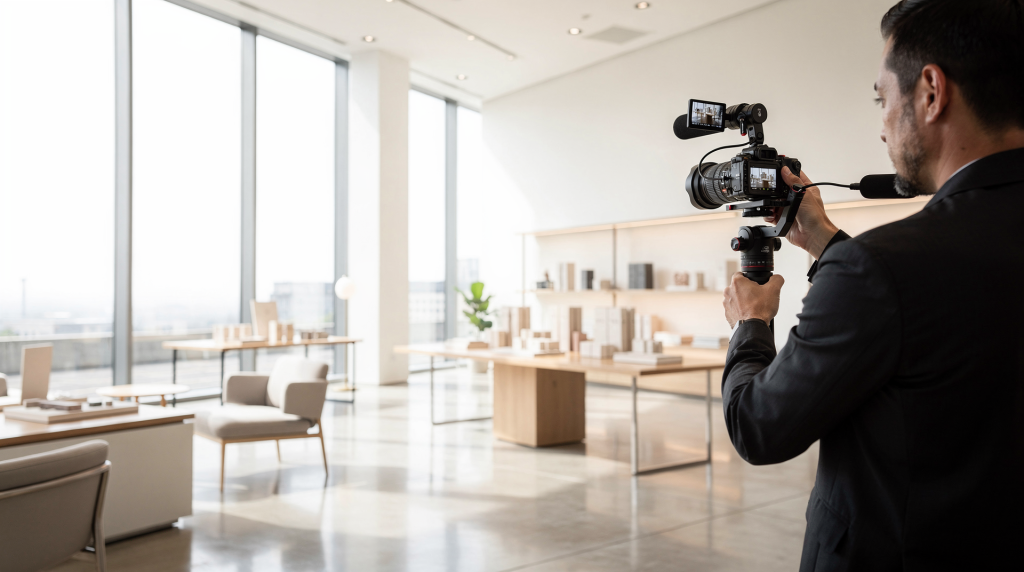
A commercial property video earns its keep when it does more than document square footage. The real job is to help a prospective tenant, buyer, or broker grasp the flow of the space, how it functions on a Tuesday morning, and why it might outperform the place down the street — all inside a couple of minutes. The footage needs to telegraph clarity, build trust, and stick in someone’s memory long after they close the browser tab.
Commercial spaces — think offices, retail units, warehouse bays, medical suites, and mixed-use interiors — pull the camera in a different direction than residential shoots. You are not chasing lifestyle or design for its own sake. You are capturing operational logic, how people and goods move through the space, and whether the bones of the building support a viable business.
Why commercial space video is different
Residential buyers often respond to emotion — a sunlit breakfast nook, a walk-in closet that feels indulgent. Commercial decision-makers run a different mental checklist. Their questions are utilitarian from the first frame:
- Can customers spot the entrance from the street, or will they walk past it?
- Does the floorplate support the workflow this business actually needs?
- Can you stage inventory, seat a team, or process deliveries without bottlenecking?
- Where are the loading bays, parking ratios, or transport links?
- What tangible advantage does this unit hold over alternatives in the same submarket?
In practice, that means your shot list and editing logic must prioritize business-critical features ahead of purely aesthetic moments. A gorgeous spiral staircase is secondary if the truck court is invisible. The viewer arrives wanting orientation first — where am I, how does this connect — then proof that the space delivers on its promise, then the details that signal quality and care.
A shooting sequence I return to repeatedly looks like this:
- exterior and neighborhood context
- entry and reception
- main floorplate or customer-facing zone
- secondary rooms and support spaces
- access points, storage, service areas, or loading
- closing hero shot that summarizes the property’s best argument
Plan the video around the decision
Walking onto a commercial site without a defined objective is the fastest path to generic footage that impresses no one. Take fifteen minutes beforehand to pin down exactly what the final video is supposed to trigger in its intended audience.
Ask these three questions
- Who is this for: tenant, investor, broker, or buyer?
- What decision should the viewer make after watching?
- What are the 3 to 5 features that justify attention?
Each answer narrows the shoot. A retail space video should lean heavily into frontage width, glazing, pedestrian visibility, and the quality of passing foot traffic. An office video earns its keep by demonstrating daylight penetration, reconfigurability of the floorplate, meeting-room count, and whether the amenities corridor feels genuine or token. An industrial or logistics video lives or dies on clear shots of dock levelers, truck maneuvering room, clear-span height, and circulation paths that don’t require reversing a 40-foot trailer through a hedge.
Pre-shoot checklist for commercial spaces
A commercial location should arrive on camera looking like a sales-ready asset, not the aftermath of a busy workday. Even occupied spaces photograph better after a deliberate reset.
Clean and stage the space
- Remove trash bins, cleaning tools, stray boxes, and spare supplies from sightlines
- Clear counters, desks, ledges, and window sills until surfaces read clean on camera
- Hide cables, temporary notices, and branded clutter that dates the footage
- Replace burned-out bulbs — inconsistency in lighting screams neglect to a commercial viewer
- Open blinds and curtains wherever privacy or glare allows
- Turn on every working interior light, even in daylight; mixed off/on fixtures create unintentional vignettes
Check for visual distractions
- Glass walls and partitions reflect everything — check for tripod legs, your own silhouette, or exit signs doubling in the frame
- Dirty floors and smudged door glass read as deferred maintenance
- Personal items left in break rooms or offices — coffee mugs, family photos, stray jackets — pull focus from the space itself
- Furniture pushed against walls in ways that compress sightlines rather than define zones
- Freestanding equipment or temporary displays that obstruct the natural path of the camera
Confirm the practical details
- Verify correct address and suite number before you send files to the client
- Identify locked or restricted rooms so you don’t waste time or promise access the listing cannot deliver
- Test lights and HVAC zones — a unit that is dark or uncomfortably hot during the shoot undermines perceived quality
- Listen for sound issues: nearby tenants, traffic rumble, HVAC drone that will bleed into any ambient audio track
- Know the hours when the space is quiet enough to film — industrial estates after 5 p.m. often drop to near silence
How to structure the walkthrough
The most persuasive commercial walkthroughs feel like a deliberate tour guided by someone who knows the building. The camera should move with spatial logic — not hopscotching between rooms, but tracing a path the viewer could mentally retrace later. When the sequencing is right, someone who has never set foot in the building can still sketch a rough floorplan from memory after watching.
A simple shooting order
- Establish the building from outside — this anchors everything that follows.
- Show the approach, signage, or entrance — how a customer or client would arrive.
- Move into the reception or primary customer zone — the first interior impression.
- Walk through the main usable areas with consistent pacing.
- Show supporting spaces like conference rooms, storage, restrooms, or mechanical access — without lingering too long.
- End with the strongest feature — the shot that makes the agent want to send the link.
This sequence teaches the viewer the property’s geography rather than demanding they figure it out. When a space spans multiple zones or floors, a clear walking order also prevents that disorienting feeling of having jumped through a wall.
Best shots to include
No two commercial properties need identical coverage, but certain shot types prove their worth across the board. The table below maps out what works and why.
| Shot type | Why it matters | Best use case |
|---|---|---|
| Exterior establishing shot | Gives location and context; sets expectations for scale | All property types |
| Entry push-in | Builds orientation and transitions from exterior to interior naturally | Retail, office, hospitality |
| Wide interior sweep | Shows layout and scale in a single breath | Offices, suites, open plans |
| Parallax movement | Adds depth and energy by revealing spatial relationships | Lobbies, showrooms, reception areas |
| Reveal shot | Shows room-to-room flow and rewards viewer attention | Corridors, tenant spaces, larger floorplans |
| Detail close-up | Highlights quality through materiality — handles, finishes, branding | Finishes, fixtures, branded elements, equipment |
| Service/access shot | Proves operational value — the feature that makes logistics work | Industrial, medical, logistics |
| Closing hero frame | Leaves a memorable final impression that anchors the whole video | All property types |
Camera movement that works for commercial spaces
Commercial video lands best when the camera feels stable, deliberate, and effortless to watch. The viewer should be thinking about the space, not the cinematography. Movement needs a spatial reason to exist — otherwise it becomes visual noise that muddies the very clarity you are trying to create.
Use these movements
- Slow push-ins to concentrate attention on a key feature, like a reception desk or a floor-to-ceiling window run
- Side-to-side parallax to articulate depth in open areas — particularly effective in wide-span offices or showrooms where scale is a selling point
- Reveal moves that show scale unfolding after a doorway or corridor — the camera moves laterally, and the room opens up in frame
- Gentle pans that connect two features without disorienting the viewer — useful for linking a waiting area to a treatment room, for example
Avoid these mistakes
- Fast whip pans — they read as amateur and make the space feel chaotic
- Long shaky handheld takes that cause viewer fatigue within seconds
- Movement with no spatial purpose — orbiting a desk because the gimbal can, rather than because it reveals something
- Overuse of transitions that pull attention away from the property and onto the editing software
If the space is practical and linear — a straightforward office suite or a warehouse bay — the camera language should feel practical and linear too. Save the flourishes for the one moment in the video where a dramatic reveal earns its keep.
Lighting: how to make the space look accurate and appealing
Lighting can singlehandedly make a commercial space feel expensive and expansive — or cramped and neglected. The goal is balanced, intentional light that represents the space honestly while presenting it in its best condition. Viewers are surprisingly sensitive to lighting cues: a dark corner reads as a dead zone, a blown-out window suggests the camera operator didn’t care.
What to do
- Film with consistent light whenever possible — shifting cloud cover mid-scene can distract
- Turn on all usable fixtures, even during the day; mixed-on lighting creates intentional brightness
- Balance window light with interior lighting so exteriors aren’t nuclear white and interiors aren’t murky
- Use soft light to avoid harsh shadows across floors, especially in open-plan areas where shadow patterns interrupt the sense of continuity
- Watch for mixed color temperatures — a cool-white LED corridor next to a warm-incandescent office creates a visual clash that cheapens the footage
Common lighting problems
- Bright windows that blow out backgrounds — you lose the view and any exterior context
- Dark corners that make rooms feel truncated, reducing perceived square footage
- Yellow and blue color clashes from mixed bulbs — correctable in post but tedious across many clips
- Reflections on glass partitions and glossy surfaces that catch the camera or light stands
For spaces with large glazed facades, aim to film when the light is stable and diffused — early morning or late afternoon often beats harsh midday glare, which creates contrast ratios no camera can handle gracefully. For interiors with limited daylight, supplement with controlled artificial light so the space reads as evenly illuminated rather than cave-like in the back half.
What to highlight in different commercial property types
Each commercial category has its own hierarchy of features that drive leasing or purchase decisions. The footage should reflect that hierarchy, giving screen time proportional to what actually matters to the target audience.
Office spaces
Focus on:
- reception — the first moment of professional credibility
- open work areas — show the depth and flexibility, not just the nearest row of desks
- meeting rooms — quantity, variety, and whether they have daylight
- natural light penetration — a decisive factor for tenant retention
- flexibility of layout — can the space be subdivided or reconfigured?
- breakout or amenity zones — do they feel integrated or like an afterthought?
Retail spaces
Focus on:
- frontage width and proportion — the billboard that sells the business
- signage visibility — from both pedestrian and vehicle sightlines
- storefront access — thresholds, steps, and whether entry feels obvious
- customer flow — walking the natural path a shopper would take
- ceiling height — impacts perceived volume and display potential
- display potential — window depth, wall runs, and feature zones
Industrial and warehouse spaces
Focus on:
- loading docks — count, condition, and whether they are under camera coverage
- truck access — turning radii, yard depth, and any pinch points
- storage depth — clear-span dimensions and column grids
- ceiling clearance — measured, not guessed
- floor strength if relevant — high-bay racking needs solid spec
- circulation routes — forklift paths, pedestrian separation, mezzanine access
Medical and specialist suites
Focus on:
- waiting areas — comfort, light, and perceived privacy
- treatment rooms — layout, equipment placement, and cleanliness signals
- cleanliness — surfaces, grout lines, and ventilation grilles matter on camera
- privacy — sightlines from reception to clinical zones
- accessibility — ramps, door widths, lift access
- back-of-house support areas — sterilisation, storage, staff zones
Hospitality and mixed-use spaces
Focus on:
- guest flow — arrival sequence and how spaces connect
- arrival experience — the first five seconds of interior footage
- amenities — shown in context, not as an isolated list
- common areas — proportion and natural light
- atmosphere — lighting mood, material palette, acoustic feel
- brand presentation — signage, design consistency, identity cues
How much detail is enough?
Commercial video should answer the major buyer or tenant questions efficiently — then stop. Overstaying your welcome dilutes the message. In most cases, a strong commercial video lands between 90 seconds and 3 minutes, depending on the square footage and the number of distinct zones.
A practical guideline:
- short and simple spaces: keep it tight — a single-floor office suite might peak at 90 seconds
- larger or multi-zone properties: include more guidance and coverage — up to 3 minutes if the complexity justifies it
- specialized spaces: show the features that prove suitability for the intended use, and cut everything else
Do not try to give every square foot equal screen time. The hallway does not need the same attention as the loading dock or the main trading floor. Give extra seconds to the areas that will actually justify the lease, the offer, or the inquiry — the rest can be covered in brief.
How to make the video more useful for marketing
A commercial video rarely works in isolation. It typically sits within a larger listing package — portal pages, broker emails, paid social, and a website landing page. Plan the shoot to generate assets that feed multiple channels from a single session. This approach stretches the production value across more touchpoints and gives the agent more tools to work with during follow-ups.
Capture assets for multiple uses
- a main walkthrough video — the full-length hero piece
- a short vertical teaser — 15 to 30 seconds for Instagram Reels or TikTok
- still frames for listing pages — pulled from video or shot separately
- social media clips — looping vignettes of key features
- broker follow-up snippets — short versions for email or WhatsApp
- website hero video — silent, ambient, and loop-ready
- paid ad variations — square and vertical crops with text-safe zones
Add simple on-screen information
Useful overlays can include:
- square footage — total and per zone if relevant
- unit type — office, retail, industrial classification
- key access features — parking ratio, dock count, transport proximity
- location cues — cross streets or landmark references
- major amenities — meeting rooms, bike storage, end-of-trip facilities
- contact or CTA — clean and minimal, appearing at the close
Keep text minimal and accurate. Overlaying too much information forces the viewer to read rather than watch, and the visuals are what sell the sense of place. A square-footage callout or a dock-count notation should appear briefly, then leave the frame clear for the space itself.
Typical mistakes to avoid
1. Filming without a clear route
When the camera jumps around without spatial logic, the space feels smaller and harder to understand. The viewer expends mental energy trying to reconstruct the floorplan rather than evaluating the asset.
2. Ignoring business features
Beautiful footage is not enough if it skips the loading access, parking configuration, frontage dimension, or layout flexibility that actually drive a commercial decision. A visually pleasing video that omits operational value is a missed opportunity.
3. Over-staging
A commercial space should look ready for business, not dressed for a catalog shoot. Overfilling it with props, furniture, or styling accessories can hide usable dimensions and make the space read as staged rather than functional.
4. Poor exposure through windows
Bright exteriors paired with dark interiors are one of the most common problems in commercial video. Check every room for exposure balance — if the windows are blown out, you lose context; if the interior is underexposed, the space feels uninviting.
5. Forgetting audience intent
A tenant, an investor, and a broker all care about different facts. A retail tenant wants to see foot traffic potential; an investor wants cap-rate drivers like lease length and maintenance condition; a broker wants reusable snippets for email campaigns. Make the edit reflect the primary viewer, not a generic audience.
Step-by-step workflow for filming commercial spaces
Before the shoot
- Define the target audience — be specific about who watches this
- List the must-show features — the 3 to 5 elements that close the deal
- Confirm access and permissions — locked rooms, security desks, site contacts
- Prepare the space — declutter, clean sightlines, turn on lights
- Test lighting and sound — walk the space at the planned shoot time to catch surprises
During the shoot
- Start with exterior context — the building in its environment
- Follow a logical walkthrough — do not deviate unless the space demands it
- Capture wide shots before details — establish each zone before moving in close
- Film the most important areas first — if time runs short, the priority shots are already in the can
- Get multiple angles of each value-driving feature — a single shot of a loading dock is not enough for an industrial edit
After the shoot
- Organize footage by zone — label clips by room or area for faster editing
- Choose clips that show function, not just aesthetics — every shot should earn its place
- Add only necessary graphics — text overlays should clarify, not decorate
- Review facts carefully before publishing — square footage, suite numbers, contact details
- Export versions for web, social, and broker use — different platforms need different crops and durations
Quick checklist for the final edit
- Does the opening establish the property clearly?
- Does the sequence feel like a real tour?
- Are the key business features visible?
- Is the pacing calm and easy to follow?
- Are lighting and color consistent across cuts?
- Does the ending leave a strong final impression?
- Is the video short enough to hold attention through the final frame?
FAQ
What is the best length for a commercial space marketing video?
Most effective videos are concise, typically landing between 90 seconds and 3 minutes, depending on property size and the number of distinct zones that need coverage. A small retail unit might peak at 90 seconds; a multi-floor office or industrial complex can justify closer to three minutes if the content stays tight.
Should I film commercial spaces with a gimbal?
Yes, in most cases. A gimbal smooths out movement and keeps the footage feeling professional, especially in lobbies, offices, and retail interiors where long tracking shots are common. Handheld can work for detail close-ups, but the main walkthrough benefits from stabilized motion.
Do I need drone footage for commercial property video?
Not always, but drone footage can be valuable for showing building context, site access routes, and how the property sits within its surrounding area. For industrial and logistics assets especially, an aerial view of truck approaches and yard layout can communicate value that ground-level footage cannot.
What should I film first on location?
Start with the exterior and entrance, then move into the most important value-driving areas of the space. This sequence anchors the viewer geographically and ensures that if time runs short, the priority footage is already captured.
How do I make a commercial space look bigger on camera?
Use wide shots that emphasize depth, maintain clean sightlines without visual obstructions, keep camera movement slow and deliberate, and remove clutter that breaks the sense of continuous space. A clear shot across an open floorplate often reads larger than the actual square footage suggests.
Final thoughts
The best commercial space videos succeed at one core task: they make the property legible as a business asset. When a prospective tenant or buyer finishes watching, they should understand not just what the space looks like, but how it would function for their operation — where customers would enter, how staff would move, where deliveries would land. None of that happens by accident. It comes from planning the route carefully, prioritizing the features that drive commercial decisions, and keeping the visuals clean, accurate, and free of distractions. A video that meets those standards supports better inquiries, stronger marketing performance, and a listing package that feels credible across every channel it touches.