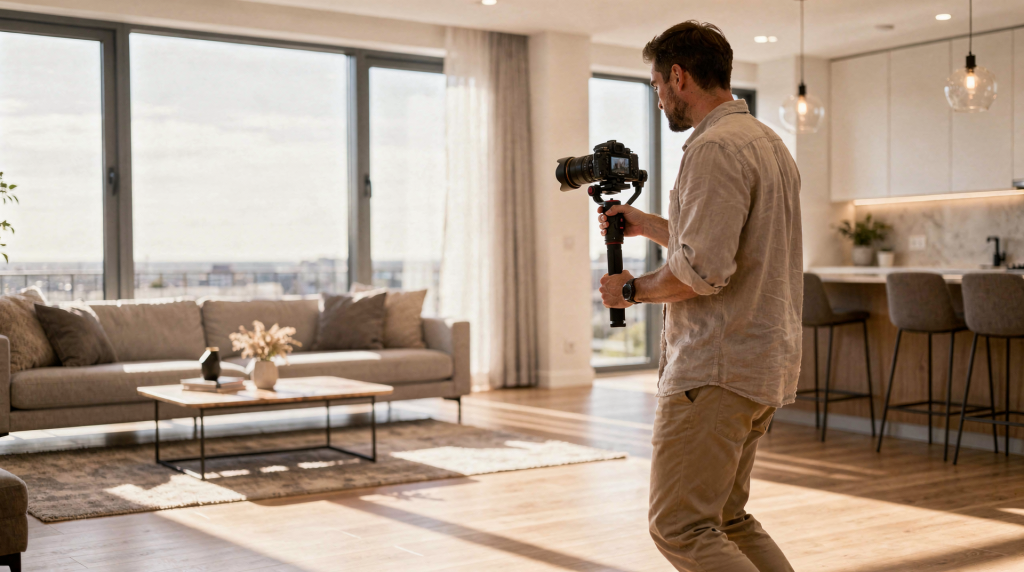
Property walkthrough videos work best when they feel like a buyer is moving through the home in real time. The goal is not just to “show rooms,” but to help viewers understand layout, flow, light, and the features that make the property worth a closer look. I learned this the hard way—transitioning from general video work to property-specific filming—and the core difference is that you’re guiding attention, not chasing action.
A strong walkthrough video is part planning, part camera work, and part editing discipline. If any one of those is weak, the final piece feels generic, rushed, or disorienting.
Why property walkthrough videos matter
A good walkthrough can do three things better than still photos alone:
- Show spatial flow from room to room
- Reveal scale, ceiling height, and transitions between spaces
- Build confidence for out-of-town buyers and busy prospects who want a quick, clear property overview
For real estate marketing, that means the video should answer practical questions fast: What does the home feel like? How does the layout work? Which areas are the selling points? I’ve seen countless listings where photos looked promising, but the video closed the deal because it removed guesswork. For an agent, a solid walkthrough reduces the number of wasted showings and filters out buyers who would have walked through and immediately known it wasn’t right.
What makes a walkthrough video effective
The best property walkthrough videos share a few traits:
- Clear route through the home
- Stable camera movement
- Consistent lighting
- Enough time in each key space
- A logical sequence that feels natural to watch
A common mistake is treating the video like a highlight reel cut together from random angles. That may look polished for a few seconds, but it often fails to help the viewer understand the property. I’ve watched editors stitch together beautiful close-ups of crown molding and pendant lights, yet by the end of the video you have no idea how the kitchen connects to the living room. That’s a fundamental miss. A walkthrough is spatial storytelling, not a montage.
Pre-production: plan before you film
Walkthrough videos are won before the camera turns on. A simple plan saves time, prevents missed shots, and keeps the edit clean. When I first started filming homes, I’d often realize in post that I’d skipped a powder room or forgot a reverse angle that would have made a transition seamless. Now I never walk into a property without a route and a list.
Build a shot list
Start with the rooms and features that matter most. Mark the frames you want to capture and note the order you’ll move through the property. A practical shot list usually includes:
- Exterior and curb appeal
- Entry and foyer
- Main living spaces
- Kitchen
- Primary suite
- Secondary bedrooms
- Bathrooms
- Outdoor areas and final hero shot
If the property has a standout feature, such as a view, pool, renovation, or architectural detail, put that near the top of the list. Your shot list should also note camera height for each room—higher angles can make tight bedrooms feel cramped, while lower angles can de-emphasize low ceilings. These are small decisions that accumulate in the viewer’s perception of the space.
Choose the right order
A simple and reliable sequence is:
- Exterior
- Entry
- Main living spaces
- Kitchen
- Bedrooms
- Bathrooms
- Backyard or outdoor space
- Closing hero shot
This order matches how many buyers mentally experience a home. It also reduces confusion in the edit because the story moves in a straight line. I’ve tested reversing the sequence (starting with a dramatic kitchen or view), and while it can work for a social teaser, the full walkthrough almost always benefits from a front-door-to-backyard logic. Buyers subconsciously map the floor plan as they watch, and jumping around disrupts that mental model.
Check the property before filming
Before you start recording, walk the space and look for issues that will hurt the video:
- Dirty mirrors or windows
- Blown-out windows with harsh daylight
- Closed blinds blocking natural light
- Clutter on counters
- Uneven lighting between rooms
- Reflective surfaces that reveal the camera operator
A few minutes of prep here can improve the final result more than a new lens or edit trick. I carry a microfiber cloth and a small step ladder in my kit—not for filming, but for prep. Smudges on a bathroom mirror or a crooked lampshade will distract viewers from an otherwise strong shot. I also check for color temperature mismatches: daylight in one room, warm LED in the next, and a fluorescent tube in the hallway. If I can’t fix the light, I note where I’ll need to lock white balance and possibly adjust in post.
Gear and setup: keep it simple and stable
You do not need an overcomplicated setup to make a strong walkthrough video. In many cases, the best results come from a clean, controlled approach. Early in my property filming days, I overpacked—sliders, complex rigs, multiple lenses—and spent more time setting up than capturing. I eventually realized that the audience doesn’t care about gear; they care about clarity and flow.
Recommended basics
- A camera or phone that shoots in 4K
- Stabilization, such as a gimbal or very steady handheld technique
- A wide lens or wide phone camera mode
- Spare batteries or power
- A simple microphone if you plan to speak on camera
- Editing software that lets you trim, color-correct, and sequence clips cleanly
Phone or camera?
Both can work. The real issue is consistency.
- Use a phone if speed, convenience, and social-first delivery matter
- Use a camera if you need more control over exposure, color, and lens choice
- Use whichever tool lets you move smoothly and expose interiors well
For many property walkthroughs, technique matters more than the platform. I’ve filmed luxury listings on a phone with a gimbal and produced results that agents loved, and I’ve also seen dedicated cameras produce shaky, poorly exposed footage. The key is to know your tool’s limitations. Phones often struggle with dynamic range when moving from a bright window to a darker hallway; a camera with a wider dynamic range can handle that transition more gracefully, but either way you need to plan your exposure around the light, not fight it.
Camera settings and visual choices
The exact settings depend on the device, but the visual priorities stay the same.
Keep motion slow
Fast movement is the easiest way to make a property video look amateur. Move slowly enough that viewers can absorb each room. Think “guided tour,” not “travel montage.” A good rule of thumb I use: if I feel like I’m moving at a natural walking pace, I’m probably moving too fast for the viewer. Slow it down by about thirty percent, and suddenly spaces feel more expansive.
Use a wide framing style
Wide framing helps show layout and makes spaces feel connected. That does not mean every shot should be extremely wide. It means the viewer should understand how one room relates to the next. A mistake I see often is framing so tight that you lose the transitions—doorways, sightlines, natural pathways. Those are the visual cues that make a walkthrough feel like a real space, not a series of disconnected photos.
Lock exposure and white balance when possible
A major mistake in walkthrough filming is letting the image shift color and brightness from room to room. Try to keep exposure and white balance as consistent as possible, especially when moving from bright windows to darker interiors. I typically set a manual white balance in the main living area and carry that through the entire shoot. If a room’s lighting is drastically different, I’ll adjust and make a note for color grading in post, but I avoid auto white balance entirely—it creates a jarring, inconsistent look that screams amateur.
Avoid pointed shots into bright windows
If the windows are much brighter than the room, the interior can look underexposed and hard to read. Instead, use angles that balance the room and its light sources. Rather than shooting directly toward a sun-drenched window, angle yourself so the window frames the edge of the shot and the interior remains well-lit. You can also film at times of day when the sun is not blasting directly through—mid-morning or late afternoon often work well. If I have no choice, I expose for the interior and let the window blow out slightly; it’s better to see the room than to preserve a view that can be shown in a dedicated exterior shot.
A practical shot structure for each room
A useful walkthrough usually gives each space a small visual arc. I think of it as establishing, exploring, and accenting—a rhythm that prevents monotony and gives the editor flexibility.
For each room, capture:
- A wide entry shot
- A slow movement shot or pan
- One detail shot that shows character
For example:
- Kitchen: wide view, slow push-in, countertop or appliance detail
- Living room: doorway view, sweep across seating area, fireplace or built-in detail
- Bedroom: entry shot, gentle move toward bed area, window or closet detail
This pattern gives the editor options and keeps the video from feeling flat. When I’m editing, the detail shots often become the visual punctuation—they break up the flow of wide-to-wide cuts and remind the viewer that someone lives (or will live) in this space. A slow pan across a marble island or a close-up of a restored doorknob can convey quality faster than a full-room shot.
Suggested timing by room
Not every space deserves the same amount of screen time. The strongest rooms should breathe.
| Space type | Suggested timing | Purpose |
|---|---|---|
| Hero rooms | 8–12 seconds | Highlight the property’s strongest selling points |
| Secondary rooms | 4–6 seconds | Keep the tour moving without overexplaining |
| Exterior and closing shots | 6–10 seconds | Create a strong first and last impression |
These are practical ranges, not strict rules. A small condo does not need the same pacing as a large luxury home. I’ve filmed compact city apartments where the entire walkthrough was under a minute, and it felt complete. Conversely, sprawling estates can easily support a three-minute tour if the rooms are distinct and the transitions serve a purpose. The danger is padding—if a space doesn’t add new visual information, cut it or move on quickly.
Filming sequence that works in the field
A consistent workflow keeps the shoot efficient. Over the years I’ve refined this into a repeatable pattern that gets me in and out without sacrificing coverage.
Step 1: Start outside
Film the exterior from a clean angle. Show the facade, approach, driveway, and landscaping if relevant. I usually capture two or three exterior angles—one wide establishing shot, one medium shot that includes the front door, and one detail like a porch or architectural feature. This gives me options for the opening sequence.
Step 2: Move through the entry
The front door and foyer create the transition from outside to inside. This is often the best place to establish the video’s rhythm. The movement through the door should be deliberate and smooth; if you’re using a gimbal, practice the entry a couple of times so the door opens cleanly and the interior comes into view without a sudden jolt.
Step 3: Cover the main living spaces
Living room, dining room, and open-concept areas should feel connected. If there is a natural flow between them, use that flow. I often film a continuous slow walk from one zone to the next to show how the spaces relate, then do individual wide shots for each area to give the editor maximum flexibility.
Step 4: Film the kitchen carefully
The kitchen is usually one of the most important selling features. Give it enough time and make sure surfaces are clean and visually balanced. I always check for reflection control—stainless steel appliances and glossy countertops can be nightmares if light angles aren’t managed. Slight adjustments in camera height and position can make the difference between a distracting glare and a clean, appealing surface.
Step 5: Continue through bedrooms and bathrooms
These rooms do not need to be overdone, but they should feel complete. Show size, storage, and condition clearly. For bathrooms, I’m extra careful about mirrors and reflective tiles; a crew reflection can ruin an otherwise professional-looking shot. I usually film bathrooms with the camera angled slightly downward to minimize the chance of catching myself in the mirror.
Step 6: End with the outdoor space
Patio, deck, pool, garden, or view can leave the viewer with a strong final memory. If the home has a great backyard, do not bury it early in the video. I position the outdoor sequence as the emotional payoff—the place where the viewer imagines relaxing or entertaining. A slow pan across a pool or a gentle push toward a view corridor works well here.
Editing: where many walkthrough videos are won or lost
A good edit should feel invisible. The viewer should be focused on the home, not on the editing. I’ve watched otherwise solid footage fall apart in the edit because the editor tried to make the video interesting instead of making the property interesting. The editing discipline is to remove yourself from the equation and let the space lead.
Edit for clarity first
Trim out:
- Shaky starts and stops
- Shots that linger too long
- Repeated angles of the same feature
- Clips with bad exposure or awkward motion
Keep transitions simple
In most property videos, clean cuts are better than flashy transitions. The video should feel smooth because the camera work is smooth, not because the editor added effects. I use dissolves only when there’s a meaningful time or location shift, and even then I keep them short. A hard cut that preserves momentum is almost always preferable to a fancy wipe or spin.
Match music to pacing
Music should support the video, not compete with it. Choose a track that fits the property style and keeps the energy steady. For contemporary homes, I tend toward clean, minimal instrumentals; for traditional properties, something warmer and acoustic. The track’s tempo should align with your walking pace—if the music rushes, the video feels frantic even if the camera work is steady.
Use text sparingly
A few text overlays can be helpful for:
- Property address
- Key features
- Square footage
- Renovation notes
- Call to action
Avoid cluttering the screen with too much copy. Text should appear only long enough to be read, and the font should be clean and legible against the background. I usually keep overlays to the lower third and let the property visuals dominate.
Common mistakes to avoid
These are the problems that make walkthrough videos feel weak or untrustworthy:
- Moving too fast through the home
- Filming without a shot list
- Shooting in inconsistent light
- Ignoring exterior and backyard spaces
- Overusing wide angles that distort rooms
- Forgetting detail shots
- Cutting the video so tightly that rooms feel incomplete
- Using heavy filters that make the property look unrealistic
The biggest mistake is misrepresenting the space. A walkthrough should be flattering, but it still needs to feel honest. I’ve seen videos where a room was made to look 30% larger through extreme wide-angle distortion, and the disconnect during an in-person showing breeds distrust. Buyers remember when a video lied to them, and that memory attaches to the agent and the listing.
Checklist before you hit record
Use this quick pre-shoot checklist:
- All main lights turned on
- Curtains and blinds adjusted
- Counters cleared
- Mirrors and glass cleaned
- Doors positioned for clean lines
- Shot list ready
- Battery and storage checked
- Audio tested if narration is included
- Exposure and white balance confirmed
When narration helps
Not every walkthrough needs a voiceover, but narration can add value when the property has special details or when the agent wants to guide attention. I often recommend narration for properties with custom renovations, smart home features, or unique layouts that aren’t immediately obvious from the visuals alone.
Narration works well for:
- Explaining layout
- Highlighting upgrades
- Mentioning neighborhood context
- Calling out lifestyle benefits
- Introducing the agent’s personality
Keep it concise. Viewers usually want useful guidance, not a full sales script. Record the narration after the edit is locked so the timing feels natural, and match the tone to the property—an energetic voiceover can feel out of place for a quiet, elegant estate.
When a walkthrough video should be shorter
A shorter video is often better when:
- The property is small
- The layout is simple
- The main goal is social media reach
- The listing benefits from quick visual impact rather than detailed explanation
Longer walkthroughs make more sense for larger homes, higher-end listings, and buyers who need more context before booking a showing. The decision comes down to audience intent: is the viewer scrolling through a feed looking for a quick impression, or are they actively evaluating properties and ready to dive deep? Tailor the length to that behavior.
FAQ
How long should a property walkthrough video be?
Most walkthrough videos work best when they are long enough to show the flow of the home but short enough to stay focused. Smaller properties may only need a brief tour, while larger homes can justify a longer format. As a practical benchmark, I target 60 to 90 seconds for a typical suburban home, but again, the content dictates the length.
Should I film horizontally or vertically?
Use horizontal video for website embeds, YouTube, and broader listing presentations. Use vertical video when the primary destination is social platforms such as Reels or Shorts. If the listing needs both formats, plan to film with vertical cropping in mind, or shoot two separate passes—it’s extra effort that pays off in platform-native quality.
Do I need professional equipment?
Not always. A phone with strong stabilization and good lighting can produce solid results. What matters most is smooth movement, consistent exposure, and thoughtful sequencing. I’ve trained agents to film walkthroughs with their phones, and the biggest leap in quality came from slowing down and planning the route, not from buying a new device.
What rooms matter most in a walkthrough?
The most important spaces are usually the exterior, entry, kitchen, main living area, primary suite, and outdoor area. These are the rooms that shape first impressions and buying interest. If you’re short on time or storage, prioritize those and make sure each gets at least one solid wide shot and one detail.
How do I make a walkthrough video feel premium?
Focus on slow movement, clean composition, consistent lighting, strong pacing, and careful editing. Premium feel usually comes from restraint, not from adding more effects. Consistent color grading, deliberate pauses, and a well-chosen music track do far more than any gimmicky transition ever could.
Final thoughts
A property walkthrough video should make the home easy to understand and easy to remember. When the route is logical, the movement is controlled, and the edit stays focused, the video does real marketing work instead of just filling a listing page. Over the years, I’ve seen how a properly executed walkthrough shortens days on market and pre-qualifies buyers before they ever step inside—because the video answered the questions they would have asked in person.
The best approach is simple: plan the sequence, shoot with intention, keep the motion steady, and edit for clarity. Do that well, and the walkthrough becomes one of the most persuasive assets in the property presentation toolkit. It’s not about impressing other videographers with technique; it’s about making a viewer feel like they’ve already visited the home and want to see more.