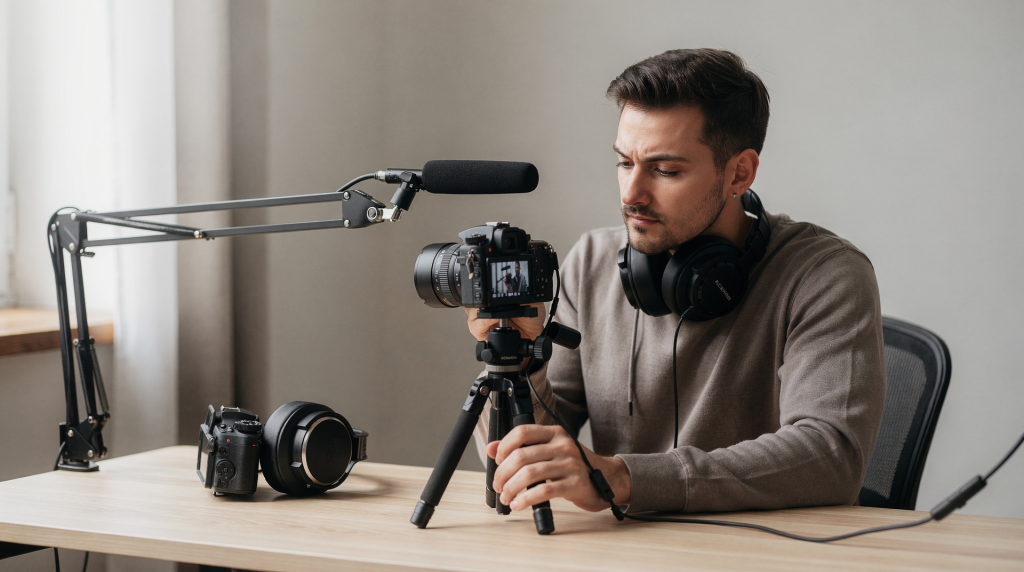
Clean audio is one of the fastest ways to make a video feel professional. Viewers will forgive a slightly imperfect image, but they abandon videos with noisy, hollow, or hard-to-understand sound. The good news: clean audio is usually the result of a few repeatable habits, not expensive gear alone. In real estate and property marketing, this becomes even more critical—when someone is trying to decide whether a space feels like home, they need to hear clear descriptions without the distraction of echo, hum, or rustling mics.
## Why Clean Audio Matters More Than You Think
Audio carries trust. If speech sounds muffled, distorted, or full of room echo, the video instantly feels less polished. In interviews, ads, walkthroughs, tutorials, and branded content, the listener should forget about the recording and focus on the message. For a property walkthrough, that means the viewer’s attention stays on the countertop material, the ceiling height, or the natural light—not on a persistent HVAC drone that crept into the lav track. If a voiceover describes premium finishes while bouncing off bare drywall, the subconscious impression contradicts the intended luxury.
The rule is simple: fix problems at the source whenever possible. Noise reduction tools can help in post, but they should not be the first line of defense. A denoiser pushed hard enough to remove a refrigerator hum will often leave the voice brittle. I’ve seen editors spend hours on a single audio track because nobody closed the kitchen door before the shoot.
## The 3 Layers of Clean Audio
Think about professional sound in three layers:
– **Source** — the voice, room, and microphone placement.
– **Capture** — gain, monitoring, recorder settings, and signal stability.
– **Cleanup** — editing, noise reduction, and final polish.
If the source is bad, post-production can only do so much. A clean recording starts before you hit record. In empty houses and commercial units, the source layer is often the hardest to control. Large windows, tile floors, and open floor plans create reverb that even the best shotgun mic cannot fully reject. Address the source first: add soft materials, move furniture, or choose a different room for the speaking parts.
## Choose the Right Microphone for the Job
Different video formats need different mics. The best microphone is the one that fits the scene, the distance to the speaker, and the amount of background noise. For real estate work, I typically evaluate whether the speaker is static (a sit-down interview with an agent) or moving (a property walkthrough), because the mic choice changes entirely.
| Microphone type | Best for | Strengths | Common weakness |
|—|—|—|—|
| Lavalier mic | Interviews, talking head, corporate video, agent presentations | Close to the mouth, consistent voice level | Clothing rustle if placed badly; cable noise during movement |
| Shotgun mic | Narration, boom work, controlled sets, static room descriptions | Directional, good rejection of side noise | Still picks up room echo if too far away; requires boom operator or fixed stand |
| Handheld mic | On-camera interviews, events | Strong signal, easy to control | More visible, requires handling discipline; can look out of place in an elegant listing video |
| Wireless lav | Movement, presenters, field video, walkthrough tours | Freedom to move, flexible setup | Can suffer from interference or dropouts; metal structures in commercial properties can block signals |
For most professional talking-head videos, a lavalier mic or a well-positioned directional mic is the most practical choice. When I film an agent walking through a furnished home, a wireless lav gives them the mobility to gesture at cabinets and countertops naturally. For a more cinematic room portrait with voiceover, a shotgun mic on a stand pointed at the speaker—while they remain relatively still—can capture a richer, more present vocal tone with less risk of clothing noise.
## Microphone Placement: The Biggest Quality Booster
A good microphone in a bad place can sound worse than a modest microphone in the right place. This is where I see the largest skill gap: someone buys a $300 mic and clips it to a loose scarf, then wonders why the audio is scratchy.
### Lavalier placement basics
– Place the lav about **6–8 inches below the mouth**.
– Keep it centered on the chest when possible.
– Attach it to firm clothing to reduce rustling.
– Avoid loose fabric, necklaces, scarves, and jewelry that can hit the mic.
– Check that the cable is secured so it does not tug or rub.
– During walkthroughs, ask the agent to do a movement test—turn, gesture, walk—and listen for cable noise. A static test tells you almost nothing.
### Shotgun mic placement basics
– Get the mic **as close as possible** without entering the frame.
– Aim it at the speaker’s chest or mouth area, depending on the setup.
– Use a boom arm or stand instead of relying on the camera’s built-in mic.
– Point the mic correctly; a directional mic only works well when aimed properly.
– In a large living room with vaulted ceilings, getting the shotgun within 18 inches of the speaker makes the difference between an intimate voiceover and an echoey, distant recording.
### A simple rule to remember
If the mic is farther away, the room becomes part of the recording. If the mic is closer, the voice becomes dominant. This rule explains why a well-placed $50 lav can outperform a $1,000 shotgun that’s sitting on the camera across the room.
## Record in a Better-Sounding Room
Room choice can make or break your audio. Even a great mic will sound poor in a space with hard surfaces, echo, or loud appliances. This is where real estate work presents a paradox: the most visually impressive rooms—double-height kitchens, open-plan lofts, wall-to-wall windows—are often the most acoustically challenging.
### Best room traits
– Soft furnishings like carpets, curtains, and couches
– Minimal echo
– Closed windows and doors
– Low outside noise
– No constant HVAC hum if you can avoid it
### Rooms to avoid when possible
– Empty kitchens
– Large bare rooms
– Echo-heavy hallways
– Spaces near traffic, elevators, or active HVAC systems
– Unfurnished properties with tile or hardwood throughout—these are the toughest to manage
If you must record in a reflective room, add soft materials around the subject. Thick curtains, blankets, rugs, and furniture can help more than people expect. I’ve used moving blankets draped off-camera to deaden flutter echo in a vacant luxury condo, and the improvement was dramatic enough that the agent said the voiceover “suddenly sounded like a documentary.”
## Reduce Noise Before Recording
Most clean-audio problems come from preventable sources. In property shoots, background noise is rarely just one thing; it’s a cumulative layer of hums, clicks, and distant street sounds that, together, degrade the recording.
### Before you hit record, check for:
– Air conditioning
– Fans
– Refrigerators
– Computer noise
– Phone vibrations
– Outside traffic
– Clothing rustle
– Cable bumps
– Nearby conversations
### Practical prep checklist
– Turn off unnecessary appliances. In a kitchen shoot, ask if the refrigerator can be unplugged for the duration.
– Silence phones and notifications.
– Close windows and doors. Even a slight breeze across a mic capsule can sound like a low rumble in post.
– Remove loud accessories from clothing.
– Test the room with a few seconds of silence.
– Listen for hum, hiss, or buzz before the real take. Some fluorescent lights and dimmers introduce an electrical buzz that a quick silence test will reveal immediately.
## Set Gain Correctly
Gain is not volume after the fact. It is the level at which the microphone signal enters the recorder or camera. Treat it like the foundation of a building—adjust it later with faders, but start with a solid, clean structure.
If gain is too low, the recording may be noisy. If it is too high, the audio can clip and distort, and clipped audio is very difficult to fix. I’ve had to discard otherwise beautiful property walkthrough takes because the agent laughed unexpectedly and the levels spiked into distortion.
### Safe level targets
A practical target for speech is to keep peaks below clipping and leave headroom. In many setups, that means aiming for healthy voice levels with room to spare rather than pushing the signal into the red. For most voices, peaks around -12 to -6 dBFS on a digital recorder give you enough room for sudden volume changes.
### What to watch for
– Red clipping indicators
– Harsh or crackling peaks
– Speech that sounds compressed or strained
– Extremely low levels that force heavy amplification later
A good habit is to do a test recording, speak at the loudest expected level, and adjust gain before the real take. Ask the agent to describe a feature enthusiastically—that’s often when their volume naturally rises.
## Always Monitor With Headphones
Headphones are not optional if you care about clean audio. Camera meters can tell you if a signal exists, but they cannot tell you whether the audio sounds clean. I’ve recorded in a seemingly silent condo only to discover, through headphones, that a distant elevator shaft was transmitting a low-frequency thrum every 90 seconds.
Listen for:
– Rustling clothing
– Wind rumble
– Electrical hum
– Distant voices
– Cable noise
– Wireless interference
– Mouth clicks or plosives
– Distortion on loud words
If possible, monitor during the take, not just before it. Some problems only appear once the speaker starts moving naturally. In a property walkthrough, the agent may turn their head away from the camera to point at a feature, and the lav position shifts—monitoring lets you catch that change instantly rather than discovering it in the edit.
## Wireless Audio: Useful, But Test It Properly
Wireless systems are convenient, especially for interviews, walkthroughs, and motion-heavy scenes. They also introduce new risks. In real estate, where walkthroughs are a staple format, wireless gear is nearly irreplaceable—but it demands respect.
### Common wireless issues
– Frequency interference
– Dropouts
– Poor antenna placement
– Receiver blocked by metal or walls
– Weak batteries
– Separate channels conflicting with each other
### Wireless best practices
– Keep transmitter and receiver in clear view when possible.
– Avoid hiding the receiver behind thick objects or metal surfaces. In commercial buildings with steel framing or large metal appliances, signal range can drop significantly.
– Use fresh batteries or fully charged units. A fading battery can cause audio artifacts long before the system shuts off.
– Test each channel individually.
– Record a short sample before the actual scene.
– Keep the transmitter close to the speaker. If the agent walks into a walk-in closet with metal shelving, a receiver on the opposite side of the room might cut out.
Wireless gear can sound excellent, but only if you treat the system like part of the signal chain, not a magic fix. Budget wireless kits have improved enormously, but they still require careful placement and testing.
## How to Prevent Clothing Noise
Clothing rustle is one of the most common amateur mistakes. In real estate videos, agents often wear blazers, silk blouses, or layered outfits that look sharp on camera but create relentless friction noise against a lav capsule.
### Prevent it by:
– Clipping the mic to firm fabric, like a lapel, collar, or tie.
– Avoiding loose jackets or scarves. If the agent insists on a particular outfit, hide the mic inside a stiffer undershirt if possible.
– Securing the cable with tape or clips to prevent it from rubbing against fabric.
– Positioning the capsule away from fabric movement. A small windjammer or foam cover designed for the mic can reduce light rubs.
– Asking the subject to move naturally during the test recording. Turn, walk, gesture—those are the moments that generate noise.
If a lav sounds clean in a static test but noisy when the person turns their head, you have not solved the problem yet. I always record 30 seconds of movement and review it critically before we start the actual takes.
## Step-by-Step Setup for Clean Recording
### 1. Pick the quietest possible location
Choose a room with low echo and minimal external noise. In a property, this might mean recording the voiceover in the master bedroom with heavy drapes rather than the echoing living room.
### 2. Choose the right mic
Use a lav for close speech capture or a directional mic when the setup allows. Wireless for walkthroughs, wired for static talking-head clips.
### 3. Place the mic correctly
Keep it close to the mouth and secure it against movement. No loose cables, no rubbing fabric.
### 4. Eliminate obvious noise sources
Turn off fans, AC, and other background hums. Check for refrigerators, aquarium pumps, and ticking clocks—they seem minor until you hear them in headphones.
### 5. Set input gain
Run a test and make sure loud speech does not clip. Leave at least 6 dB of headroom for unexpected peaks.
### 6. Monitor with headphones
Listen for rustle, hum, traffic, and distortion. Do this throughout, not just at the start.
### 7. Record a room tone sample
Capture a few seconds of silence in the location. This can help later in editing when you need to fill gaps or build a noise profile for reduction software.
### 8. Save a backup if possible
If the project matters, record to a separate recorder or redundant track when available. A secondary audio track at a lower gain level has saved countless projects where the main channel clipped.
## Post-Production: Clean Up, Don’t Rescue
Editing can improve good audio, but it should not be expected to save bad audio. If the recording sounds like it was captured in a tiled bathroom, no plugin will fully restore intimacy.
### Useful cleanup tools
– Noise reduction
– High-pass filtering
– De-essing
– Light compression
– Equalization
– Clip gain adjustment
### Typical cleanup workflow
1. Start with the best raw recording.
2. Remove obvious mistakes and long pauses.
3. Apply gentle noise reduction if needed. When possible, capture a noise profile from your room tone recording; this makes the reduction far more precise.
4. Use EQ to reduce rumble or harshness. A high-pass filter around 80 Hz can remove air conditioning hum without touching the voice.
5. Balance levels so speech stays consistent. This often means bringing up quieter phrases rather than squashing dynamics with heavy compression.
6. Compare the processed version with the original.
7. Stop before the voice starts sounding artificial.
### A common mistake
Over-processing can make dialogue sound thin, metallic, or unnatural. If the cleanup is audible, the cleanup is probably too strong. I’ve heard real estate videos where the agent’s voice was processed into something robotic, which undercuts the warmth and trust needed to sell a home.
## Clean Audio Checklist
Use this before every shoot:
– [ ] Microphone chosen for the scene
– [ ] Mic placed close to the mouth
– [ ] Cable secured and out of the way
– [ ] Wind, rustle, and handling noise checked
– [ ] Fans, AC, and appliances turned off
– [ ] Headphones plugged in and monitoring
– [ ] Test recording reviewed
– [ ] Gain set with headroom
– [ ] Backup recording option confirmed
– [ ] Room tone captured
## Common Mistakes That Ruin Video Audio
– Relying on the camera’s built-in microphone
– Placing the mic too far away
– Forgetting to monitor with headphones
– Recording in a noisy or echo-heavy room
– Setting levels too hot and clipping the signal
– Ignoring clothing rustle
– Using wireless gear without testing interference
– Trying to fix everything in post
## When You Need Better Gear
Sometimes the problem is technique. Sometimes the gear is simply limiting your results. In property work, I’ve seen teams struggling with camera preamps that introduced hiss, making quiet voiceover passages sound grainy—even though the mic and placement were correct.
Consider upgrading if:
– Your camera preamps add too much hiss. External recorders with clean preamps can solve this overnight.
– Your current mic picks up too much room sound. A tighter polar pattern or a different mic type may be necessary.
– Wireless dropouts keep ruining takes. Invest in a system with robust error correction and frequency agility.
– Your recorder cannot monitor properly. Real-time headphone monitoring is non-negotiable for professional results.
– You need more control over levels and backup tracks. A recorder that supports dual-channel recording with a safety track at lower gain is invaluable.
That said, better gear works best when the fundamentals are already right. A new microphone won’t fix a bad room or sloppy placement.
## FAQ
### What is the easiest way to get cleaner audio in video?
Use a microphone close to the speaker’s mouth, record in a quiet room, and monitor with headphones. In real estate, this often means moving from the echo-filled foyer to a furnished study.
### Is a lavalier mic better than a shotgun mic?
Neither is universally better. A lav is often easier for interviews and talking-head videos, while a shotgun mic is useful when placed close on a boom. For property walkthroughs where the speaker moves, a wireless lav wins; for static room descriptions with a boom operator, a shotgun can deliver a more cinematic voice.
### How do I remove background noise from recorded video?
Start with noise reduction in editing, but use it gently. The cleaner the original recording, the better the result. A room tone sample helps the noise reduction algorithm work more effectively.
### Why does my lavalier mic sound scratchy?
The most common cause is clothing rustle, cable movement, or poor placement against soft fabric. In prolonged walkthroughs, a lav cable that drags across a blazer will accumulate noise that becomes grating over time.
### Should I record audio separately from the camera?
Yes, when possible. A dedicated recorder often gives better control, better monitoring, and cleaner preamps than a camera input. It also decouples your audio quality from the camera choice, which is helpful when filming on smaller mirrorless bodies.
### How close should a lavalier mic be?
A practical target is around 6–8 inches below the mouth, depending on clothing, framing, and voice strength. Closer placement reduces room sound and increases clarity, but going too high can cause plosives from breath.
## Final Takeaway
Professional audio is mostly about discipline. Put the mic close, control the room, monitor everything, and avoid problems before they reach the recorder. If you capture clean sound at the source, your edits will be faster, your video will feel more polished, and your message will land with far more confidence. For property marketers, this discipline pays off in trust: a listing video with clear, intimate voiceover makes a home feel present and real, while noisy audio pushes viewers away no matter how beautiful the footage looks.