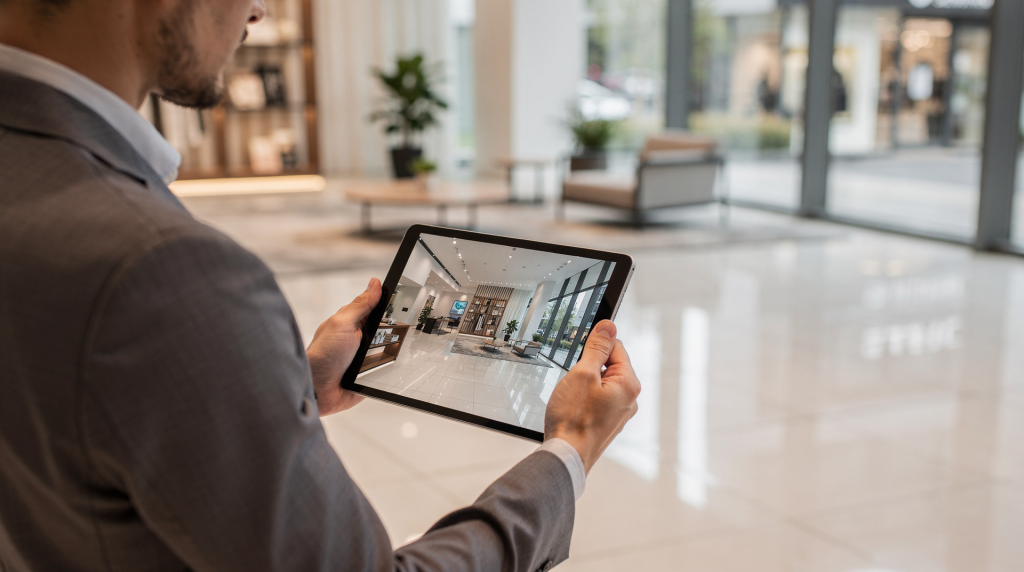
When a commercial tenant scrolls through a dozen listings, the difference between a space that gets a showing and one that gets ignored often comes down to how quickly they can answer one question: Will my operation fit here? Virtual tours answer that question faster than any photo gallery or spec sheet can. They let prospects walk the floor, judge the flow, and mentally place their team or inventory into the space — all before picking up the phone. For agents and photographers who understand why this matters, the tour stops being a tech add-on and starts working as a pre-qualification engine.
Why virtual tours work in commercial real estate
Residential buyers often respond to emotion — the light in the kitchen, the feel of the neighborhood. Commercial prospects operate differently. They are solving a logistical problem. Does the layout support their workflow? Can the loading bay handle their delivery schedule? Will clients find the entrance without confusion? These are spatial, functional questions, and static photos rarely answer them with enough precision. A virtual tour puts the prospect inside the decision, letting them trace the path from reception to meeting room, check sightlines across the open floor, or measure in their mind whether the storage area sits close enough to the dock.
There is another layer here that gets overlooked in residential marketing: commercial decisions almost always involve multiple stakeholders. The CFO might never visit the property, but she still needs to sign off. The facilities manager wants to see maintenance access. The regional director is comparing three locations across two cities. A virtual tour becomes the shared reference point — the one asset everyone can inspect on their own time, from their own screen, without scheduling a group walkthrough that takes weeks to coordinate.
Main marketing benefits
- Better-qualified leads because prospects can self-filter before booking a showing. When someone requests a visit after spending eight minutes inside a tour, they already know the layout works. That conversation starts further down the funnel.
- Fewer wasted site visits from people who would have rejected the space within the first ninety seconds of an in-person tour. Those visits cost everyone time, and in commercial leasing, time directly affects negotiation leverage.
- Wider reach for out-of-town buyers, tenants, and investors. A well-produced tour removes geography as a barrier during the shortlisting phase. I have seen deals move forward across state lines because the virtual walkthrough gave the decision-maker enough confidence to proceed.
- Longer engagement on listing pages because interactive tours keep people exploring. Every additional minute a prospect spends inside the tour increases the likelihood they will remember the space when comparing options later.
- Faster shortlisting when stakeholders need to compare multiple spaces. Instead of relying on memory from three separate showings, they can revisit each tour side by side and make a structured comparison.
Best commercial spaces for virtual tours
Not every property demands the same approach, but certain categories benefit disproportionately from interactive walkthroughs — specifically those where spatial logic and operational flow drive the leasing decision.
| Space type | Why a virtual tour helps | What to highlight |
|---|---|---|
| Office suites | Shows circulation, natural light, meeting rooms, and fit-out potential. Prospects need to understand how their team will move through the day — from desk to conference room to break area. | Lobby, reception, private offices, open plan areas, restrooms |
| Retail units | Helps prospects judge frontage, visibility, customer flow, and merchandising zones. A photo of a storefront tells you nothing about how a customer experiences the depth of the space. | Street view, entry path, floor depth, storage, back-of-house |
| Coworking spaces | Makes membership benefits and shared amenities easy to understand. The value proposition lives in the common areas, not just the desk. | Desks, meeting rooms, phone booths, lounges, kitchen areas |
| Warehouses and industrial spaces | Clarifies scale, loading access, ceiling height, and movement paths. These are the hardest spaces to photograph well because wide-angle lenses distort the very dimensions that matter most. | Docks, bays, storage zones, office annexes |
| Hospitality or mixed-use spaces | Shows guest flow and functional zoning. The sequence of arrival, service, and departure shapes the entire experience. | Entry sequence, common areas, service spaces, guest-facing areas |
What a strong commercial virtual tour must include
A tour that impresses visually but confuses navigationally does more harm than good. Commercial prospects are not browsing for inspiration — they are conducting a functional audit. Every element in the tour should serve that audit.
Include these essentials
- Clear room-to-room navigation that mirrors how someone would actually walk the property. If the path feels illogical, the prospect starts doubting whether the layout itself is illogical.
- Accurate sense of scale and ceiling height. This is where many tours fail. A 360-degree image can compress depth if shot poorly. I always recommend including reference objects — doorframes, standard-height furniture — that give the eye something to measure against.
- Functional labels for each key area. Labels are not decoration. They answer the question the prospect is already asking: “What is this room for?”
- Visible entrances, exits, and access points. Commercial tenants care deeply about how customers, staff, and deliveries move through the building. Hide an entrance and you hide a decision factor.
- Important features such as loading bays, conference rooms, kitchens, storage, or parking — the operational infrastructure that makes or breaks a lease.
- Consistent lighting so the space feels believable. Mixed color temperatures or drastic exposure shifts between rooms make the property feel disjointed, even if the actual space is cohesive.
- A clean layout without visual clutter that distracts from the property. The prospect should be evaluating the architecture, not the current occupant’s filing cabinets.
Avoid these mistakes
- Overusing flashy transitions that make navigation confusing. A dissolve or a slow pan has its place, but if the transition calls attention to itself, it is pulling attention away from the space.
- Hiding key areas behind too many clicks. If a prospect has to hunt for the loading dock through five nested hotspots, they will assume the dock is not a priority — or worse, that you are trying to hide something.
- Leaving labels vague, such as “Area 1” or “Zone A.” That tells the prospect nothing and signals that no one thought through the tour from their perspective.
- Mixing too many lighting conditions, which makes the space feel uneven. If one room is bathed in warm afternoon sun and the next looks like a fluorescent-lit basement, the contrast undermines trust in the presentation.
- Showing clutter, temporary signage, or personal items that distort the property’s true condition. The tour should represent the space as it will be delivered, not as the previous tenant left it.
How to use virtual tours in a marketing funnel
A virtual tour is not a one-and-done asset. Its value compounds when it appears at multiple touchpoints along the decision path. The same tour that catches a prospect’s attention on a listing portal can resurface in a follow-up email two weeks later and serve as a comparison tool when the shortlist narrows to three properties.
Practical distribution plan
- Add the tour to the main property listing page as the primary visual experience, not buried below the photo gallery.
- Include it in broker or agent email follow-ups. A direct link with a specific note — “I wanted to make sure you saw the full walkthrough of the warehouse floor” — performs better than a generic “check out this listing.”
- Share it on listing portals, social media, and paid campaigns. On platforms like LinkedIn, where commercial decision-makers spend time, a tour link often outperforms a static image post.
- Use it in shortlisting stages to help prospects narrow options. Encourage them to revisit the tour alongside competitors’ listings and note what stands out.
- Send it again after an in-person viewing as a memory aid. Physical showings blur together, especially when a prospect tours multiple properties in one afternoon. The tour becomes the definitive record of what they saw.
This approach keeps the tour useful at multiple stages of the decision process. A prospect may first use it to decide whether the space deserves a visit, then later revisit it to compare notes with colleagues, and finally pull it up during lease negotiations to confirm a detail about the floor plan.
When a virtual tour can replace or reduce site visits
Let me be direct: a virtual tour will not eliminate the need for physical inspections in most commercial deals. Tenants still need to hear the HVAC system, feel the foot traffic outside the retail frontage, and assess the neighborhood at different times of day. But what a tour does exceptionally well is filter out the visits that should never happen in the first place — the ones where the prospect walks in, spends three minutes looking around, and realizes the ceiling height or the column spacing rules them out.
Virtual tours are especially effective when:
- The prospect is remote or traveling and cannot justify a trip for an initial screening.
- Several stakeholders need to review the space before scheduling a visit, and coordinating calendars is proving impossible.
- The property has strong functional layout value that is hard to read in photos — open-plan offices, warehouse floors, retail depths.
- The leasing or sales process needs to move quickly, and waiting for in-person tours would slow momentum.
- The space is in an early shortlist stage and needs clear pre-qualification before anyone invests time in a physical walkthrough.
Step-by-step: how to create a tour that supports leasing and sales
Building a commercial tour is not about capturing every corner of the property. It is about building a visual argument for why the space works. Each step should serve that argument.
1. Decide what the space needs to prove
Before filming or scanning, define the commercial questions the tour should answer. This step separates tours that inform from tours that merely show. For example:
- Can this office support a 20-person team without feeling cramped?
- Is the retail frontage visible from the street, or does it get lost in the block?
- Does the warehouse have practical loading access, or are there obstacles the photos conveniently cropped out?
- Are the shared amenities worth the asking price when you see them in context?
2. Prep the space
- Remove clutter, bins, cords, and temporary signs. Every object that does not belong to the architecture becomes a distraction.
- Turn on the lights that improve the room. In commercial spaces, lighting is often zoned — make sure the zones that showcase the space are active.
- Open blinds or curtains where natural light helps. Mixed daylight and interior light can work beautifully if balanced, but you need to commit to one approach per room.
- Stage the space in a way that reflects its intended use. An empty office floor is harder to read than one with a few desks suggesting scale and workflow.
- Make sure the route through the tour feels logical. Walk the path yourself before scanning — if you hesitate at a turn, so will the prospect.
3. Capture with purpose
Capture each area in a sequence that mirrors a real walkthrough. Start where a visitor would enter, then move through the property in a way that supports orientation and trust. For commercial spaces, sequence matters because it helps prospects understand how work or customer flow would actually function. I typically start at the main entrance, move through public-facing zones first, then into operational areas, and finish with amenities or support spaces. This builds a narrative that matches how a tenant would prioritize their evaluation.
4. Add practical labels and notes
Use labels that solve real questions, not ones that sound clever. The goal is clarity, not creativity:
- “Main reception”
- “Private office suite”
- “Loading bay”
- “Client meeting room”
- “Storage area”
If a label does not help a prospect make a decision, it does not belong in the tour.
5. Publish with context
A virtual tour becomes more useful when paired with supporting information that answers the questions the tour cannot. Always include:
- A floor plan — ideally one that matches the tour’s navigation path so prospects can orient themselves.
- Property specifications — square footage, ceiling heights, power capacity, HVAC zones.
- Lease terms or listing summary — the business context that frames the space.
- Nearby transit or access details — especially for office and retail properties where commute and foot traffic matter.
- Contact information for next steps — visible without scrolling, so intent does not cool off.
Metrics that show whether the tour is working
Polished visuals mean nothing if the tour is not moving prospects through the funnel. I track performance indicators that connect directly to business outcomes, not vanity metrics like “total views” in isolation.
| Metric | What it tells you |
|---|---|
| Tour views | Whether the listing attracts attention. Low views suggest the tour is not being surfaced effectively in the listing or distribution channels. |
| Average time spent | Whether the space keeps people engaged. Under thirty seconds usually means the navigation or the first impression failed. Over two minutes signals genuine interest. |
| Hotspot clicks | Which areas matter most to prospects. If everyone clicks on the loading bay and ignores the reception, that tells you what the market values in this property type. |
| Lead form submissions | Whether the tour supports conversion. A high view count with zero inquiries means the tour is entertaining but not persuasive. |
| Showing requests | Whether more serious prospects are moving forward. This is the metric that matters most — tours should generate qualified visits, not just passive browsing. |
| Shortlist mentions | Whether the tour helps the space stay in consideration when prospects compare options days or weeks later. |
If people leave quickly, the issue may be poor navigation, weak staging, or an unclear value proposition. If they spend time in the tour but never contact the broker, the listing copy or call to action may need work. The data tells a story — you just have to listen.
Common objections and how to handle them
“A virtual tour cannot replace an in-person visit”
That is true, and it should not try to. Its job is to qualify interest earlier and make physical visits more productive. When a prospect arrives already knowing the layout, the conversation shifts from “does this space work?” to “how soon can we move in?” — and that is a far more valuable discussion for everyone involved.
“Commercial spaces are too complex for online tours”
Complex spaces often benefit the most. The more layout, circulation, and functionality matter, the more useful an interactive tour becomes. A simple rectangular retail unit might be adequately captured in four photos. A multi-tenant office floor with shared amenities, varied ceiling heights, and multiple access points practically demands a walkthrough to be understood.
“The space will look worse online if it is not perfect”
A good tour does not need perfection. It needs honesty, clean presentation, and enough clarity for prospects to make informed decisions. In fact, overselling a space with aggressive staging or selective angles creates a trust deficit that backfires during the physical showing. Prospects appreciate accuracy over polish — they are making a business decision, not buying a lifestyle fantasy.
Checklist before publishing
- The route is easy to follow — test it with someone unfamiliar with the property and watch where they hesitate.
- Every major area is labeled clearly, and the labels answer functional questions.
- The lighting is consistent from room to room, with no jarring shifts in color temperature or exposure.
- The space is free of clutter that distracts from the architecture and flow.
- The tour answers the main business questions you identified before shooting.
- The listing page includes supporting property details — floor plan, specs, terms.
- The call to action is obvious and accessible without scrolling away from the tour.
- The tour works smoothly on desktop and mobile, with navigation elements sized for touch screens.
FAQ
Do virtual tours help lease commercial space faster?
Yes. They help prospects qualify the space earlier, reduce unnecessary visits, and keep the property easier to compare against alternatives. When a decision-maker can rule out three properties from their desk and focus on the two that genuinely fit, the entire process accelerates.
Are virtual tours useful for retail properties?
Yes. Retail prospects need to understand frontage, flow, depth, and customer experience, all of which are easier to read in an interactive tour than in still photos. A wide-angle photo of a retail floor can make a narrow space look expansive; a tour gives a more honest read on proportions.
Should every commercial listing have a virtual tour?
Not every listing needs one, but any space where layout, scale, or remote decision-making matters will usually benefit from it. The question to ask is: can a prospect make an informed shortlisting decision from photos alone? If the answer is no, a tour is justified.
What is the biggest mistake to avoid?
The biggest mistake is treating the tour like a visual gimmick instead of a decision tool. Commercial buyers and tenants need clarity, not just polished imagery. When the production values overshadow the information value, the tour works against its own purpose.
Conclusion
Virtual tours are most effective in commercial real estate when they help prospects answer practical questions faster. Used well, they improve qualification, reduce wasted showings, and make listings more persuasive across the entire marketing funnel. For agents, photographers, and content creators, the real value is not the technology itself but how clearly it communicates what the space can do. Master that clarity, and the tour stops being a feature on a checklist — it becomes the reason a prospect picks up the phone.